How to Maintain a Roll to Roll DTF Printer for Long-Term Use?
Introduction
- Introduction
- Understanding the Maintenance Challenges of Roll to Roll DTF Printers
- Essential Routine Maintenance Steps for Roll to Roll DTF Printers
- Troubleshooting Common Issues in Roll to Roll DTF Printers
- Advanced Maintenance Tips to Maximize Printer Lifespan and Efficiency
- Choosing the Right Service and Support for Your Roll to Roll DTF Printer
- Conclusion
- FAQ
- Partner with Fedar for Superior DTF Printing Solutions and Support
- References
Maintaining a roll to roll DTF printer involves implementing systematic daily, weekly, and monthly care protocols focused on printhead cleaning, white ink circulation monitoring, environmental control, and proper film handling. The key to longevity lies in preventing ink sedimentation through continuous agitation systems, calibrating tension mechanisms to avoid head strikes, and adhering to manufacturer-recommended consumables. Regular nozzle checks, capping station moisturizing during idle periods, and maintaining optimal curing temperatures between 110°C-150°C ensure consistent transfer quality while minimizing costly downtime and extending equipment service life in industrial production environments.
Introduction
source: FEDAR PRINRTER
Direct-to-film technology has changed how companies that print on textiles handle large amounts of work. As someone who has worked closely with printing equipment distributors and factory managers all over the United States, I can say that regular maintenance has a huge effect on keeping production going and making money. Roll to roll DTF printers are big investments in terms of money, and how well they work directly affects how well you can serve your customers.
How people take care of their printers every day can make the difference between one that works perfectly for five years and one that needs a lot of work within months. Procurement managers and technical directors need strategies that can be put into action to protect investments in tools while keeping the level of work that customers expect. There are detailed repair instructions in this book that are made especially for industry settings where downtime means lost money and bad relationships with clients.
Understanding the Maintenance Challenges of Roll to Roll DTF Printers
Using DTF printing systems has its own technical problems that are very different from using regular printing methods. Basic complexity comes from the chemicals that make up white ink. It has heavy titanium dioxide particles that settle down on their own when they are not moving. Without the right circulation systems, these bits cause blocks that quickly lower the quality of the print.
Common Problems Impacting Print Quality
The most common problem with DTF systems is that the nozzles get clogged up. When printhead nozzles get partially clogged, prints will have missing lines, colours will not match, and white ink will not cover evenly. Most of the time, the problem starts with poor cleaning procedures or long periods of inactivity without any safety measures in place. These issues are made worse by environmental factors. For example, humidity levels below 40% or above 70% can change the stickiness and drying properties of ink, and dust particles can get into open ink systems and clog up delivery pathways.
Root Causes of Equipment Degradation
When tension systems are out of whack, mechanical wear speeds up. When films buckle or track unevenly, they make it more likely that the printhead will hit something, which could damage delicate parts permanently. When moving between different film thicknesses, operators don't always remember how important it is to change the vacuum pressure. This can cause problems with alignment during long production runs. Another big risk is using aftermarket inks that don't work with your printer. Chemical formulas that don't follow OEM specs often have particle sizes or viscosity levels that are too high for the printhead, which means it breaks down early and the guarantee is voided.
Case Examples from Real Production Environments
A medium-sized printing company in Texas had problems with bands on their 60-cm-wide machine over and over again. An investigation showed that they had cut the number of times they cleaned from daily to every three days to save money on cleaning solution. For companies operating a roll to roll DTF printer, regular maintenance is essential to prevent performance issues and unexpected production interruptions. The buildup of microclogs meant that the printer had to be replaced by a professional, which cost a lot more than the cleaning products they were trying to save. Their reject rate dropped from 12% to less than 2% after they started structured daily maintenance. A properly maintained roll to roll DTF printer can help businesses improve print consistency, reduce waste, and extend equipment lifespan. They were able to run for eighteen months without any technical help. This example shows how putting off repair leads to costs that are much higher than those of regular preventative care. By following recommended maintenance schedules for a roll to roll DTF printer, companies can protect their investment and maintain stable production efficiency. A reliable roll to roll DTF printer combined with proper care procedures allows printing businesses to achieve better quality control and long-term operational success.
Essential Routine Maintenance Steps for Roll to Roll DTF Printers
Setting up structured maintenance schedules protects the reliability of equipment and makes sure that the quality of the output is always the same. These rules should be made part of everyday processes, and trained staff members should be in charge of following them and keeping records.
Daily Maintenance Checklist
The built-in test print function should be used to check the printer nozzles at the start of every workday. This test finds any problems with the flow before they affect production runs. White ink circulation systems need to be checked to make sure the pumps are working normally. Listen for strange sounds that could mean the bearings are wearing out or getting clogged. The capping station needs to be checked for wetness because when the machine is not being used, dried caps don't close properly, letting ink dry in the nozzles that are visible.
At the end of the day, cleaning cycles must be run according to the manufacturer's instructions. Using lint-free swabs to wipe the printer surface cleans up any leftover ink before it dries overnight. Film path checking finds small pieces of trash that could damage later rolls or get in the way of tension sensors. These fifteen-minute investments at shift changes keep the long delays that happen when maintenance isn't done that way.
Weekly and Monthly Deep Maintenance
Maintenance that is done once a week includes more than just cleaning the surface. It also includes fixing parts that wear out over time. Make sure that all of the working parts in the take-up and supply roll devices are well oiled. Check the tightness of the belts on powder shakers to make sure that the powder is spread evenly across printed papers. Look through the firmware logs for patterns of errors that could show problems that are starting to form before they cause failures.
More thorough system checks are part of monthly routines. Use spectrophotometer values to calibrate colour output and look for signs of printer wear or poor ink quality. Check to see if the temperature in the curing oven is the same across the whole heating element. Hotspots or cold spots can make it harder for the glue to stick. Clean air filter systems keep the electronics inside safe from dust buildup. During these more in-depth maintenance sessions, small changes are often found that stop bigger problems before they happen.
Ink Management Best Practices
It is important to pay attention to white ink because it contains titanium dioxide. To keep the texture at its best, the storage temperature should stay between 20°C and 25°C. Before adding ink to systems, shake the containers well to make sure the pigment is mixed with the liquid. Never mix batches of ink from different production lots, because even small changes to the formula can make them not work with each other.
Colour inks don't need to be handled as roughly, but they still benefit from it. Seal cartridges right away after using them to keep air from getting in and drying them out too quickly. Keep track of how old the ink is. If kept properly, it should last between 12 and 18 months, but older inks may change density in ways that make it harder to make drops and change the colour. Using products that the OEM recommends makes sure that they are chemically compatible with printhead materials and keeps the warranty valid.
Environmental Control Requirements
Temperature stability between 20°C and 26°C stops the temperature from rising and falling, which over time can mess up precise alignment. Controlling the humidity between 45% and 65% keeps films flat and stops static electricity from building up, which brings dust to printed surfaces. Having separate HVAC systems for printing areas is better for keeping the temperature stable than using the building's main HVAC system.
Managing dust is more than just keeping things clean. When doors open during material handling, positive air pressure systems keep outside contaminants from getting in. Concrete dust doesn't make any particles when floors are sealed. Cleaning the roof and air ducts on a regular basis gets rid of dust and dirt before it gets on equipment or media.
Essential Tools and Consumables Inventory
Having the right materials on hand is important for maintaining things well. For businesses operating a roll to roll DTF printer, keeping suitable maintenance supplies available helps ensure stable performance and reduces unnecessary production delays. Stock up on cleaning solutions that have been approved by the manufacturer and are made especially for your type of printhead. Generic cleaners may contain solvents that damage sensitive parts. Using the correct products for a roll to roll DTF printer helps protect important components and maintain consistent print quality. Lint-free swabs and wipes keep fibres from getting dirty while you clean. Having extra wiper blades, capping station seals, and filtering elements on hand will help keep downtime to a minimum when wear calls for replacement. A reliable roll to roll DTF printer requires regular care with high-quality replacement parts to extend service life and improve operational efficiency. Preparing essential supplies in advance for a roll to roll DTF printer allows operators to complete maintenance tasks quickly and avoid interruptions during busy production periods.
Diagnostic tools, such as magnifying glasses for checking the nozzle, infrared thermometers for making sure the cure temperature is correct, and tension gauges for calibrating the film path, let workers do thorough checks. Digital humidity and temperature trackers that can record data about the surroundings are useful for finding the cause of quality problems that happen from time to time.
Troubleshooting Common Issues in Roll to Roll DTF Printers
Even with careful maintenance, operational problems can happen and need systematic ways to find the cause. When you know the trends of common failures, you can fix them faster and cause less damage to production.
Diagnosing Print Quality Problems
Banding usually means that part of the nozzle is blocked or that the printhead is not lined up correctly. You can find out which colour channels have holes by running nozzle check patterns. If running cleaning processes doesn't fix the problem, the printhead might need to be fixed by an expert. Problems with the ink supply are often to blame for prints that don't have the same colour. Check the feed lines for air bubbles or low ink levels that let air into the system.
Because they are so complicated, white ink coverage issues need extra attention. If white seems see-through or has variations in the print, make sure the circulation system is working properly. Changes in the printing environment's temperature can change the thickness of white ink enough to change the covering density. Also, look over the drying factors. If there isn't enough heat, the powder won't stick properly, making it look like the white ink wasn't applied well when the real problem is further down the line.
Resolving Mechanical and Software Errors
Tension differences between the supply and take-up rolls are often the cause of film tracking problems. Gradually change the tension settings while watching how the film reacts while it's running. All the rollers in the film path need to be cleaned because powder dust builds up and makes the surface contact uneven. Make sure that the edge sensors are in the right place and that they are clean. Sensors that aren't visible give tracking systems false information.
Problems with communication between the printer and the main computer are often caused by broken USB cables or problems with the network. Before going after more complicated solutions, replace the cables as a diagnostic step. After updates, firmware conflicts can happen. To avoid this, keep backup copies of safe firmware versions that you can restart if new releases cause problems.
When to Escalate to Professional Support
Some symptoms point to problems that can't be fixed by an operator. Getting the same error codes after trying to fix them suggests that a part is broken and needs to be replaced. Printhead strikes that cause visible damage need to be looked at right away by a professional; continuing to use the machine risks a catastrophic failure. If the colour correction drifts even after proper maintenance, it could mean that there are problems with the electronics that are affecting how precisely the ink is delivered.
Knowing what the guarantee covers helps you decide when to escalate the problem. Most makers cover all defects, but not damage caused by using non-approved parts or not doing proper upkeep. To back warranty claims, write down all upkeep tasks and how much of a product you use. Authorised service networks have factory-trained technicians and original parts, but they may take longer to get to than local third-party providers.
Productivity Strategies During Downtime
When equipment breaks down, production doesn't have to stop. Keep in touch with local equipment sellers; they may be able to lend you equipment while big repairs are being done. Stock up on extras of things that are frequently bought so that you can still meet customer needs when there are unexpected outages. Talk to your customers ahead of time about any delays—being honest keeps relationships stronger than missing dates without giving a reason.
By teaching employees how to use more than one production system, businesses don't have to shut down completely when one printer needs service. Even though not every facility can afford to have redundant equipment, knowing about other ways to fulfil orders through partner networks gives you options in case of an emergency.
Advanced Maintenance Tips to Maximize Printer Lifespan and Efficiency
Advanced strategies go beyond basic repair procedures to make tools last longer and save money on costs. These methods need more technical know-how but pay off big time by making things more reliable and better quality.
Upgrading Materials for Enhanced Performance
How well the film transfers affects the effects and the wear on the tools. Premium PET films with better covering formulations help the ink spread evenly across the surface, which lowers the issue of oily waste that can show up after drying. Better films also keep their shape better when heated, which stops them from buckling and causing printhead strikes. Even though quality materials cost 15% to 20% more, the lower number of rejected prints and upkeep issues usually makes the cost worth it.
The choice of ink also has an effect on how well it works over time. Inks are made by manufacturers with chemical ingredients and particle sizes that work best with their printheads. Aftermarket options might work okay at first, but they usually have higher particle counts or uneven viscosity, which speeds up wear. The cost savings rarely make up for the shorter life of the printer and the need for more upkeep.
Workflow Optimization Strategies
Scheduling production has a big effect on motor stress. Continuous operation cuts down on the thermal cycle that makes precise parts expand and contract. For a roll to roll DTF printer, if it's not possible to run continuously, keeping the printheads in a "conditioned" state between jobs helps prevent the ink from drying out. Modern systems have automatic repair processes that run when the system is not being used. These features protect the nozzles without the need for human action.
When you group jobs by colour needs, you need fewer cleaning rounds when you switch between different ink setups. Putting together transfers of the same size cuts down on film trash and the work that needs to be done to the machines between runs. These workflow considerations may not seem important on their own, but when added up over large production volumes, they add up to measurable efficiency gains.
Firmware and Diagnostic Software Tools
Today's DTF systems have advanced diagnostic tools that show you how healthy your equipment is right now. By keeping an eye on changes in ink pressure, you can spot clogs before they hurt the quality of your prints. Temperature sensor data from curing ovens shows when a heating element is wearing out early enough so that it can be replaced during planned downtime instead of having to be fixed right away.
Connectivity features let authorised technicians look at system logs and error patterns without having to visit the site for diagnostics. This feature speeds up research by getting rid of the need to guess when calling customer service to describe symptoms. Regular firmware changes fix known problems and often make things run better. Keeping software versions up to date stops problems that makers have already fixed.
Energy-Efficient Operational Practices
Curing ovens are the parts of DTF systems that use the most energy. By adjusting the preheat times and keeping the insulation in good shape, you can lower your power costs without lowering the quality of the fix. Some operators make the mistake of leaving ovens on all the time, even when they're not being used for long periods of time. Setting up automatic shutdown protocols for breaks and times when production is low greatly reduces utility costs.
Managing the temperature of the printhead also changes how much energy is used. Systems that keep their parts at the best temperature for operation use less power than ones that have to keep heating up cold parts. When environmental climate control is done right, equipment doesn't produce extra heat that needs to be removed from the workspace, which lowers the load on the HVAC system.
For businesses exploring entry into DTF printing or expanding existing capabilities, considering equipment that balances performance with operational efficiency proves valuable. Solutions designed for small to medium production volumes offer compelling advantages for specific applications.
Fedar FD-D300 and FD-D302 Models: Practical Solutions for Growing Businesses
The Fedar FD-D300 and FD-D302 models show how well-thought-out tech can meet real output needs. Both systems use reliable Epson F1080-A1 printheads that are known for producing high-quality results every time. The 300mm print width accommodates standard transfer sizes, and the printer's small footprint makes it easy to use in studios and small factories.
| Model | Printhead Quantity | Max Speed CMYK | Max Resolution | Print Colors |
|---|---|---|---|---|
| FD-D300 | 1 | A3: 10/hr, A4: 20/hr | 1600 DPI | CMYK+W |
| FD-D302 | 2 | A3: 31/hr, A4: 62/hr | 1600 DPI | CMYK+W |
For sample makers and low-volume operations, where print speed is less important than saving space and the initial investment, the single-head FD-D300 is the right choice. With 10 A3-sized transfers per hour, it can handle both special orders and the creation of prototypes. The FD-D302's two heads triple output speed, making it ideal for small shops that have to handle many orders every day. With 1600 DPI resolution, both types offer industrial-grade quality while still being easy to use on a desk.
Operator Training Programs
How well you use the equipment has a big impact on how reliable it is. Comprehensive training programs should teach not only how to operate something, but also how to maintain it and fix simple problems. When it comes to maintenance, operators who know why certain steps are important are more likely to do them than those who just follow checklists without understanding.
Training with real equipment works better than just learning about it in a classroom. Trainees should clean the nozzle, load the film, and adjust the tension while being watched until they can do it well. Keeping records of when training is completed makes people responsible and gives you a place to start when practical problems arise. Skill loss over time can be fixed with refresher training, which also introduces new best practices as they appear.
Choosing the Right Service and Support for Your Roll to Roll DTF Printer
The service infrastructure that supports equipment has a big impact on how well it works over its entire operational life. Choosing the right support partnerships will protect your investment and keep production going even if there are technology problems.
Evaluating Warranty Terms and Service Quality
The scope of warranties varies a lot between makers, so it's important to think carefully about what you want before you buy it. Full guarantees cover both parts and labour for replacing the printhead, which is the most expensive piece of upkeep. It's also important to know what the warranty doesn't cover—many guarantees are null and worthless if non-approved inks or unauthorised changes are found.
Service response times have a direct effect on the costs of production downtime. For businesses using a roll to roll DTF printer, having access to fast technical support is essential for maintaining continuous operations and reducing unexpected losses. Local authorised service networks can help customers faster than makers in other countries. Check to see if service providers have common replacement parts in stock or if they have to order them, which can add days to the time it takes to fix things. A reliable roll to roll DTF printer supplier with strong after-sales support can help manufacturers solve equipment issues quickly and keep production schedules on track. Some providers offer different levels of support, with guaranteed reaction times for premium service contracts. Choosing a professional roll to roll DTF printer with dependable service options allows companies to improve efficiency and minimize downtime risks. Figuring out how much production downtime costs can help you decide if the extra cost of better service is worth it. Investing in a high-quality roll to roll DTF printer combined with responsive technical assistance can provide long-term value and support stable business growth.
OEM-Authorized Maintenance Networks
Authorisation from the original equipment maker (OEM) makes sure that service providers get factory training on certain types of equipment. Authorised technicians can read technical bulletins that list known problems and suggested solutions based on a lot of experience in the field. They can get original new parts that fit perfectly instead of aftermarket ones that might not work with the originals.
OEM networks also make sure that warranties are followed. If service is done without permission, the guarantee may not cover the fix, even if it is done properly. This is especially important to think about when it comes to newer equipment that is still covered by the manufacturer's warranty. When technology is past its warranty period, skilled independent service providers can sometimes save you money. However, it is still important to carefully check out their DTF-specific experience.
Maintenance Contracts and Ongoing Support
Maintenance prices that you can plan for help you make budgets and plan your finances. Annual service contracts usually include scheduled preventative maintenance visits, faster service for breakdowns, and lower prices on parts. For places with more than one printer where the total service needs are high enough to justify the commitment, contracts work well. Pay-as-you-go service might be cheaper for businesses with only one machine, but they give up the reaction time promises and cost predictability that contracts offer.
Some manufacturers offer services for remote monitoring, in which equipment that is connected sends data about its performance so that it can be analysed. Proactive monitoring finds problems before they become failures, so repairs can be planned for when the system is not being used, instead of having to be done during production interruptions for emergencies. These services are the next step toward predictive repair models that keep problems from happening in the first place.
Successful Service Partnership Case Study
A Californian company that sells cloth printing equipment teamed up with a company that makes DTF equipment and offers full after-sales support. The supplier set up the initial installation and training for the operator, set up maintenance visits every three months, and kept a dedicated technical support contact. Six months after installation, the distributor started having sporadic banding problems. The support team viewed diagnostic data from afar and found that the ink circulation pump was not working at its recommended level. Within 48 hours, a new part came, and it was installed by a licensed local technician during a planned evening visit that didn't stop work.
The distributor said that a big part of their ability to grow their market was due to reliable equipment that gave customers faith in them. They were different from rivals who were having maintenance problems because they could promise consistent transfer quality and delivery times. As an example of the worth of a complete support system, the service partnership turned equipment from something that could be a liability into something that gave the company a competitive edge.
Conclusion
For DTF printing equipment to work well in the long term, it needs to be maintained regularly, operators need to be trained properly, and service partners need to be dependable. A professional roll to roll DTF printer requires consistent care and proper operating procedures to maintain stable performance and high-quality output. The rules explained in this guide will help you keep your investment safe and make sure that the quality of your work stays high, which will please your customers and improve your business's reputation. Environmental control, quality consumables, and daily care routines are much more cost-effective than fixing broken equipment after it has been ignored.
A reliable roll to roll DTF printer can achieve better production efficiency when combined with regular maintenance and skilled operators. Because printing technology is always getting better, maintenance methods must also change to keep up. Making sure your business stays up to date on manufacturer suggestions, joining user groups, and keeping in touch with service providers who know what they're doing will help it adopt new best practices as they come out. A high-performance roll to roll DTF printer benefits from proper maintenance strategies that reduce downtime and extend equipment lifespan. A lot of the time, the difference between DTFs that are profitable and those that aren't is how seriously they take equipment maintenance as an important part of their business. Choosing a durable roll to roll DTF printer and following professional maintenance procedures can help businesses achieve consistent results, improve productivity, and build long-term competitive advantages.
FAQ
How often should I perform maintenance on my DTF printing equipment?
At the beginning and end of each production shift, daily maintenance should be done, such as checking the nozzles and cleaning cycles. Weekly checks include checking the ink system and mechanical parts. Deep upkeep that is done once a month includes tuning, thorough cleaning, and checking for wear on all parts. High-volume operations may need to be checked on more often, while lower-volume users may be able to slightly stretch the time between checks. No matter the production volume, the nozzles must be protected every day.
What signs indicate my printer needs professional service?
If you keep getting the same error codes even after trying to fix them, it means that a part might be broken and needs to be diagnosed by a professional. Print quality issues that don't go away with regular maintenance, like colour shift or bands that won't go away, are usually signs of hardware problems that can't be fixed by an operator. If printheads get hit or exposed to chemicals and get physical damage, they need to be looked at right away by a professional. If you hear strange mechanical noises, like grinding or screaming from moving parts, it means that the bearings are wearing out or there are alignment issues that need to be fixed with special tools.
Can I use third-party inks to reduce operating costs?
Even though alternative inks often cost less than OEM ones, the risks they pose usually outweigh the savings. Chemical mixtures that weren't made just for your printer might have particle sizes that make blocking happen faster or viscosity levels that make it hard for drops to form. When non-approved consumables are found, many manufacturers make it clear that the warranty is no longer valid. Poor print quality caused by inks that don't work well together costs more in lost customers than the savings on consumables. Operations should think of ink as precise chemicals made for specific equipment, not as a general good that can be replaced based on price.
Partner with Fedar for Superior DTF Printing Solutions and Support
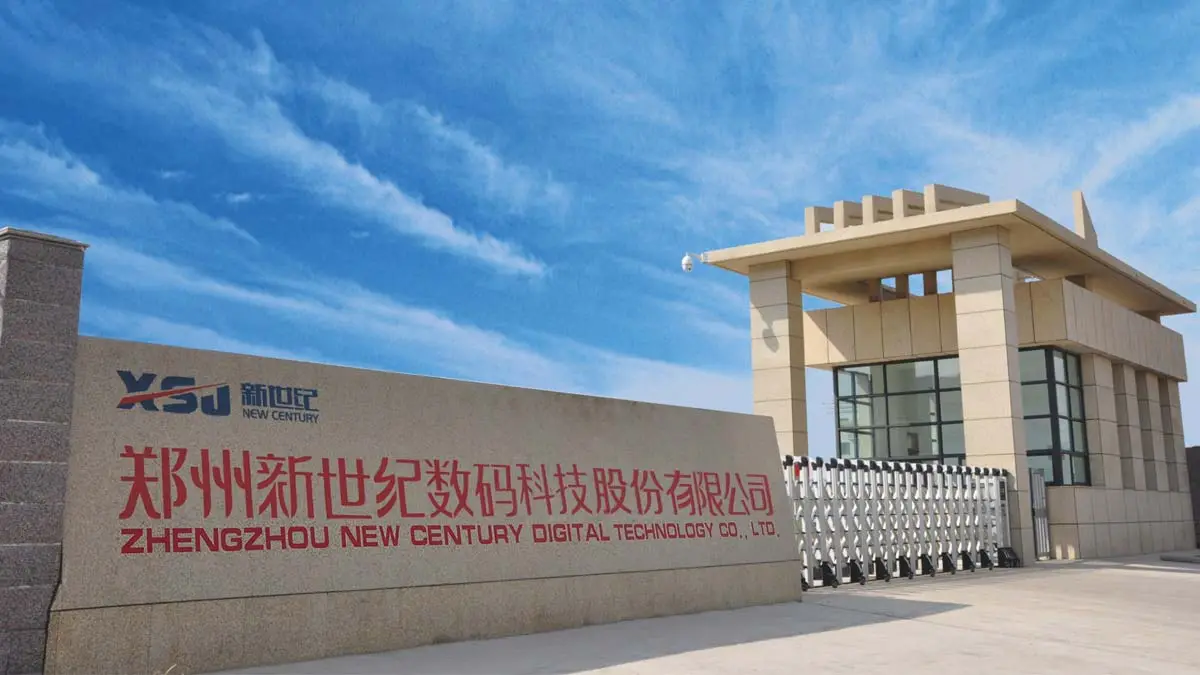
Picking a manufacturer that cares about your long-term success is the first step to getting reliable equipment performance. Fedar runs a factory with 400 workers that focuses on original research and development and production. Before a system gets to a customer, it has to pass strict quality standards. Our deep knowledge of inkjet printer technology helps many industries, from printing on textiles to making advertising signs. We also have stable supply chains for core parts that keep production from being held up, which is something our competitors have to deal with.
We know that equipment is only one part of running a successful business. Through our world service network, Fedar offers full technical training, complete maintenance documentation, and quick help after the sale. Our team has decades of experience helping printing businesses get the most out of their tools and make the most money. Whether you need help choosing the right materials, fixing problems, or planning long-term maintenance, we can help.
If a purchasing manager is looking for a reliable roll to roll DTF printer provider, Fedar's flexible partnership models can work for any size business. We build relationships that fit your needs, whether you're a distributor of equipment that needs volume pricing and area protection or a single printing facility that needs full support. Get in touch with us at info@tex-printer.com to talk about how Fedar's printing solutions and support systems can help you make more things and be more competitive.
References
1. Johnson, M. & Williams, R. (2022). Industrial Inkjet Printing: Maintenance Strategies for Production Environments. Digital Printing Press.
2. Chen, L. (2021). "Titanium Dioxide Dispersion Stability in Aqueous Ink Systems." Journal of Coating Technology and Research, 18(4), 891-903.
3. Patterson, D. (2023). The Complete Guide to Direct-to-Film Transfer Technology. Textile Printing Institute.
4. Rodriguez, A. & Kim, S. (2022). "Predictive Maintenance Models for Digital Textile Printing Equipment." International Journal of Production Research, 60(12), 3847-3862.
5. Thompson, H. (2021). Cost Management in Digital Printing Operations. Manufacturing Efficiency Publications.
6. Sanders, K. (2023). "Environmental Factors Affecting Inkjet Print Quality in Industrial Applications." Printing Technology Review, 45(2), 156-171.

Aelx Chen
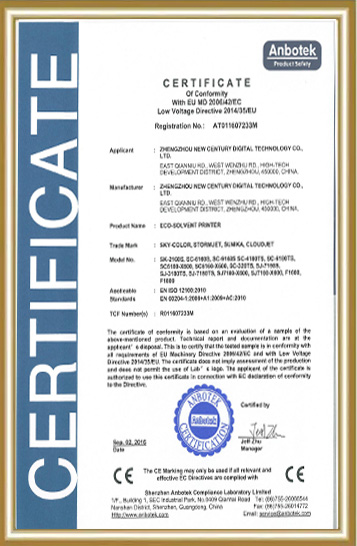
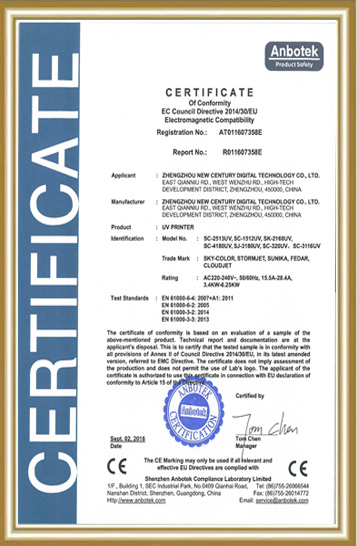
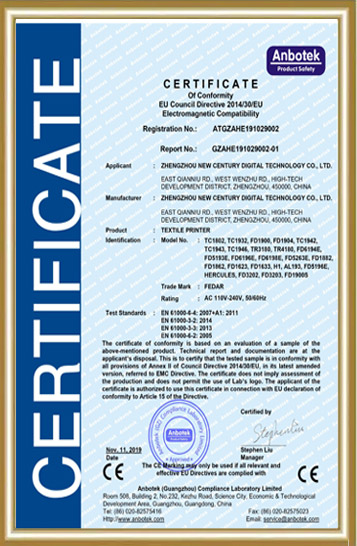
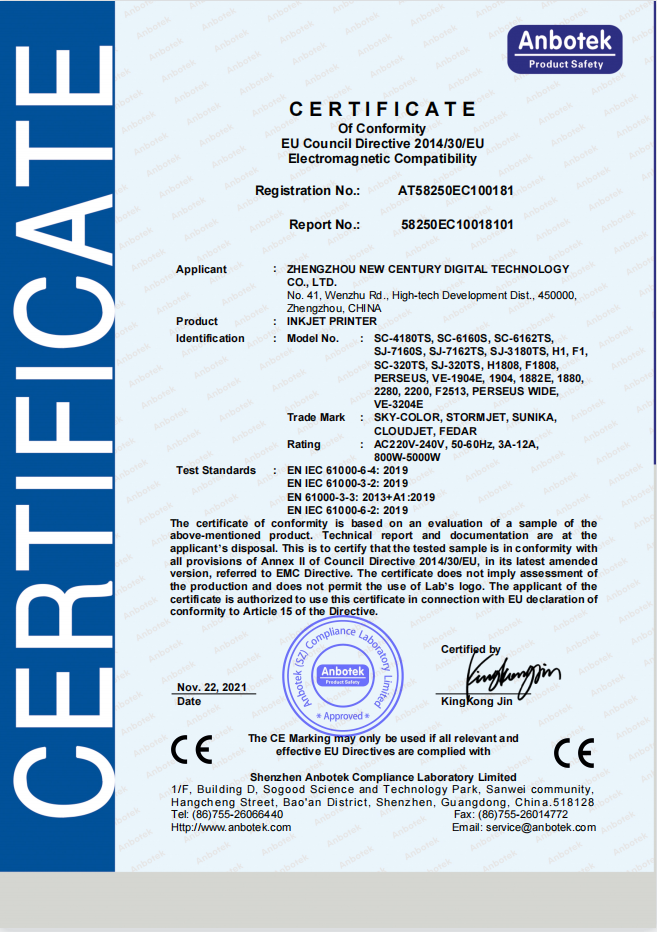
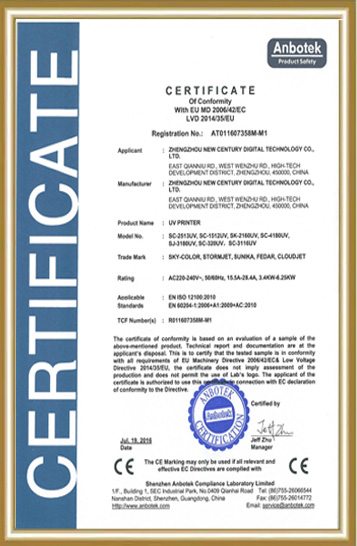
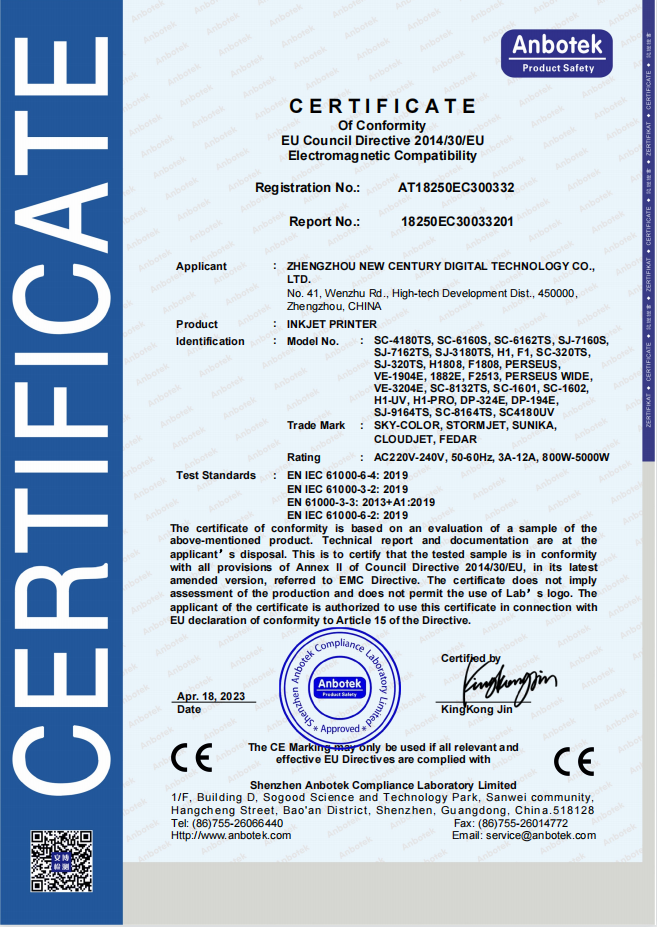
Alex Chen has accumulated extensive R&D and industrialization experience in the digital textile printing field, focusing on the innovation and optimization of digital printing equipment, direct-to-garment (DG) processes, and application solutions. He led the independent R&D and mass production of the company's core textile printing machines and DG printers, promoting their application in the textile, advertising, home furnishing, and personalized customization markets. The equipment he led has passed ISO9000 and CE certifications, earning the trust of a wide range of customers. He continuously provides customers with professional technical support and industry trend analysis, contributing to the upgrading and efficiency improvement of the digital printing industry.
We Look Forward to Your Email
Please send us product information that interests you, and we will provide you with one-on-one service.
_1778203196111.png)
Recommended Blog


How Sublimation Transfer Printers Improve Custom Fabric Production Efficiency?

Exploring What Is DTF Transfer: A Comprehensive Guide to Direct-to-Film Printing


What Causes Color Fade in Sublimation Printers and How to Fix It?